


Keep Your Card Secure This Holiday Season
Mon, 11/24/2025 - 08:00 Fraud prevention

As the Holiday Season approaches, your card safety is our top priority. Stock Yards Bank & Trust is here to help you feel protected during this busy time.
We encourage all cardholders to take advantage of CardSpot, a powerful and free security tool available right inside your online banking.
How to Find CardSpot
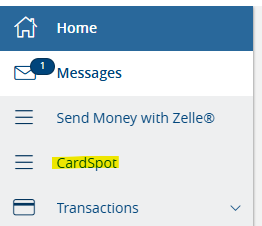
Getting started is simple. Log in to Online Banking or the SYB Mobile App and find the menu. You'll see the direct link to CardSpot there.
Use Controls & Alerts to Prevent Fraud
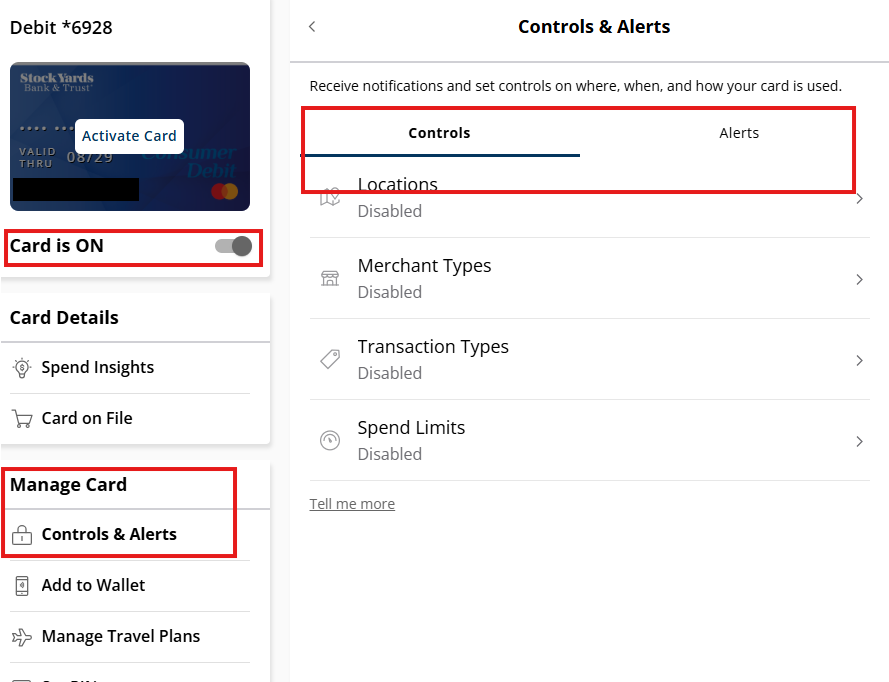
CardSpot gives you real-time control over how your card is used. Once you select "Manage Card" and then "Controls & Alerts," you can customize your security settings to match your spending patterns. You can even instantly turn your card On/Off directly from this screen.
1. Customize Your Alerts
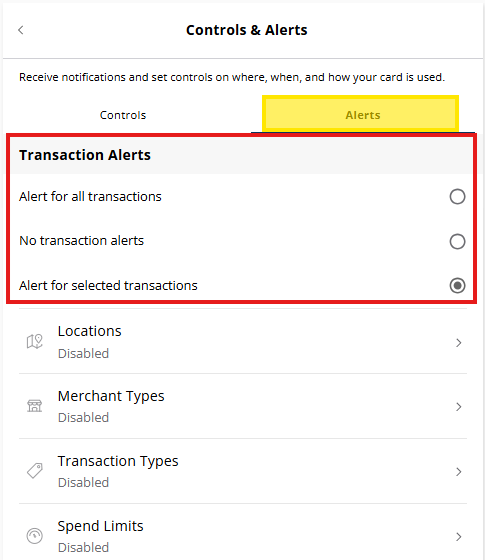
Toggle over to the "Alerts" tab to decide exactly when you want to be notified. For instance, you can choose to receive alerts only for selected transactions, ensuring you know immediately when an unexpected purchase is attempted.
2. Manage Spending Controls
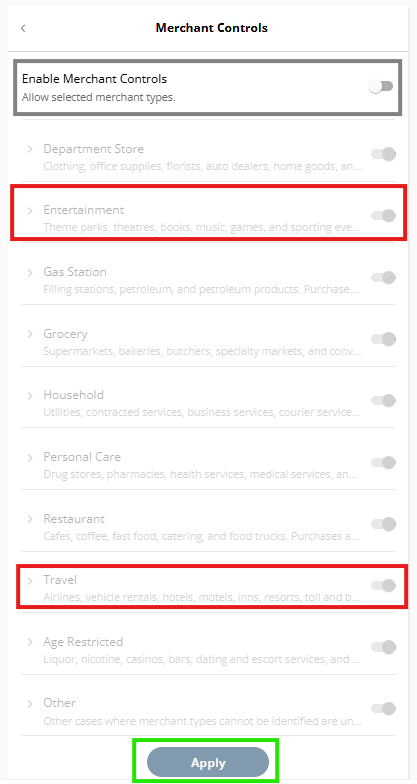
Use the "Controls" tab to set hard limits and restrictions. You can set Spend Limits, or restrict transactions by specific Merchant Types (like limiting Entertainment or Travel expenses), Locations, or Transaction Types. These changes are effective instantly.
Establishing these proactive controls is the single best way to prevent fraud or unauthorized transactions this season.
Remember: Stock Yards Bank & Trust will never contact you and ask for your Online Banking Login ID, Password, Secure Access Code, or complete Account or Card numbers. If you have concerns, please Call Customer Care at 502-582-2571.
Member FDIC | Equal Housing Lender